
Designing Book Covers that Sell: Using AI for KDP Cover Art (2026 Guide)
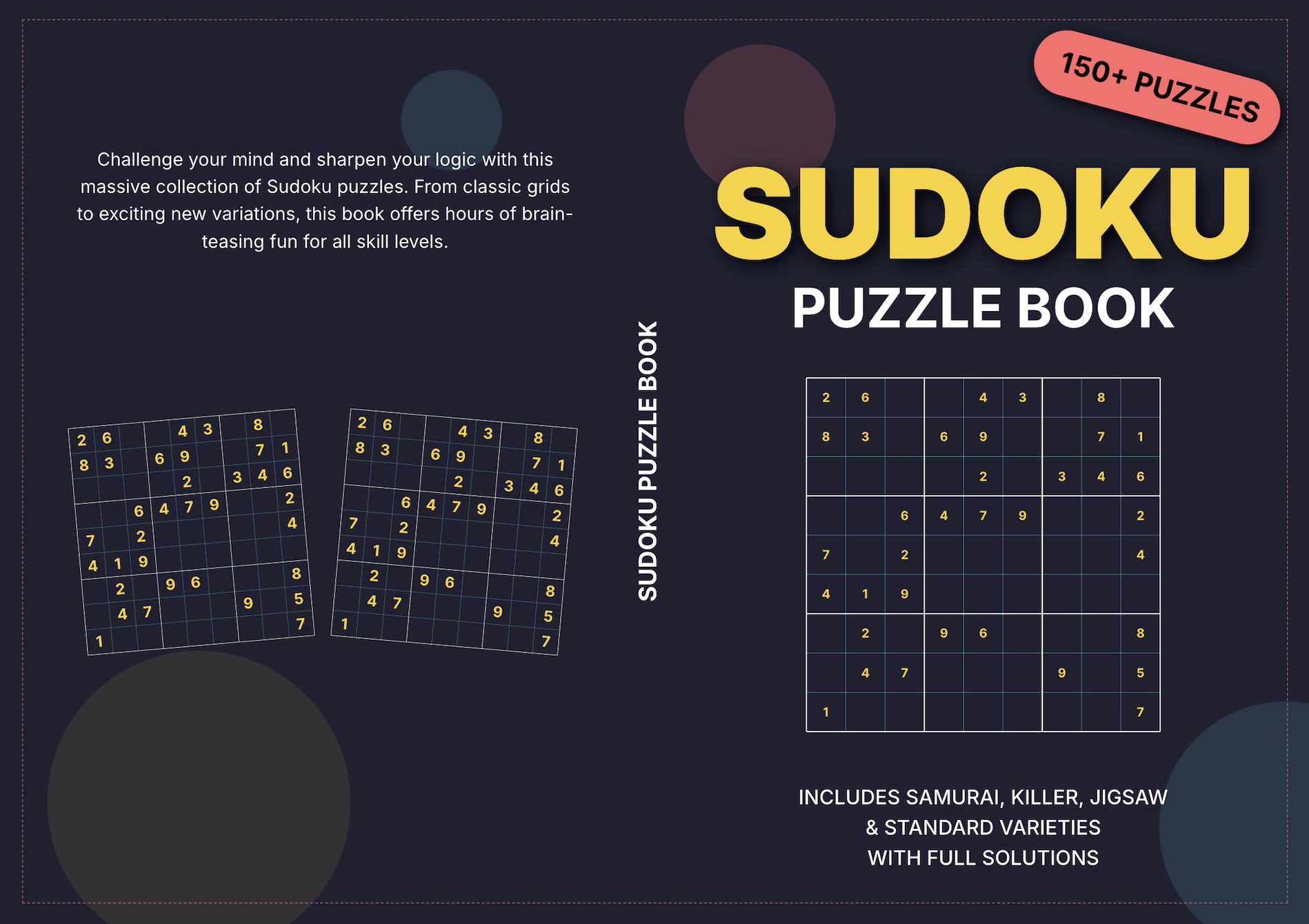
We have all heard the cliché, "Don't judge a book by its cover." But in 2026, on the digital shelves of Amazon KDP, that advice is commercially fatal. A customer makes a purchase decision in less than 2.5 seconds as they scroll. If your cover doesn't immediately communicate quality, niche relevance, and excitement, you’ve lost.
The problem? Most publishers fall into two camps:
- They have a great puzzle idea but zero design skills, leading to covers created in MS Word that look exactly like they were made in MS Word.
- They try to learn Adobe Photoshop, only to spend three days fighting with layers and gutters before giving up.
There is a better way. The 2026 workflow at Inkrgo.ai/studio bypasses the Photoshop learning curve entirely. By combining a powerful AI Image generator with a dedicated "KDP AI Cover Maker," you can create complex, professional-grade full-wrap covers in seconds.
Here is your guide to mastering the automated cover design process.
1. The Art: Using AI Image Generator for Niche-Specific, High-Impact Imagery
Your cover needs a hook. Generic "Sunset" photos won't work in highly competitive logic puzzle niches. You need imagery that screams the specific problem and the premium experience.
- Prompt Engineering for KDP: When using the AI image generation engine within the Studio, go specific. Instead of "A difficult maze," try: "A highly detailed, intricate cyberpunk-themed 3D maze, neon blue lines on dark metallic background, dramatic lighting, sharp vector style."
- Resolution Matters: Inkrgo automatically generates high-resolution, print-ready graphics.
2. The Solution: Inkrgo’s Integrated "KDP Cover Maker"
Once you have your core AI artwork, the real bottleneck begins: creating the "full book wrap." This is a single image file that includes the Front, Back, and Spine.
The Inkrgo KDP Cover Maker solves this by treating the process like a smart template rather than a blank canvas.
The Problem: Gutter and Spine Disasters
When you manually format, you must calculate the exact spine width based on your page count. If you are off by even 0.05 inches, KDP will reject your cover because the spine is not centered.
The Inkrgo Solution: Automated Spine and Layout
The Cover Maker links directly to your interior project.
- Set Page Count: It reads the final page count and chosen paper type (e.g., White, 50lb) from your interior file.
- Instant Gutter/Spine calculation: The engine automatically builds the template with the precise spine width. If you change your book from 100 to 120 pages, the cover template updates in real-time. You never have to do the math.
3. The Workflow: Concept to Print-Ready in 4 Steps
Here is the professional workflow for maximizing the Studio's integrated tools:
| Step | Task | Location in Studio |
|---|---|---|
| 1. Art Generation | Use the AI Image Generation to create your niche image. | AI Image Generator |
| 2. Define Project | Select your trim size (e.g., 6x9) and interior page count. | Project Settings |
| 3. Drop to Layout | Select the "KDP Cover Maker." specify the cover your want to design with a detailed prompt. | Cover Creator Module |
| 4. Automate & Save | Add your text (Title, Subtitle, Author). Add your image, customize the AI generated cover to your liking. The engine handles the back cover gutter and formatting. | Cover Creator Tools |
4. The 3-Point Cover Review: Before You Upload
Before you click "Download for KDP," perform this final aesthetic check on your full wrap:
- Spine Text Alignment: Ensure your title and author name on the spine are perfectly centered within the colored gutter area. Inkrgo’s snapping guides help with this, but always use the "Grid view" to confirm.
- Text Hierarchy: Your main title must be legible even as a thumbnail. If you can't read it, the customer won't either. Use the Studio’s text effects to add strokes or shadows for clarity.
- Bar Code Safe Zone: Do not place important imagery or text in the bottom right corner of the back cover. Inkrgo automatically places a placeholder for the ISBN/Bar Code; ensure your art looks good around it.
Final Thoughts
In 2026, the excuse of "I'm not a designer" is no longer valid. By leveraging Inkrgo.ai/studio’s KDP Cover Maker and SDXL art, you aren't fighting with technology; you are commanding it. Let the algorithms handle the math of spine widths and gutters so you can focus on the artistic direction that will catch a customer's eye and secure that sale.
Would you like me to help you brainstorm 5 optimized cover prompt formulas for your next logic puzzle book?
Ready to take your publishing to the next level? Start using Inkrgo today.
Subscribe to our newsletter
Get the latest self-publishing tips delivered straight to your inbox.